
For customersQRThali
Scan the table. Order from your phone.
No waiting for a menu card or a waiter. Customers scan the QR code on the table, see every dish with its price, order and pay by UPI.
9:41
9:41
9:41
Screen 1
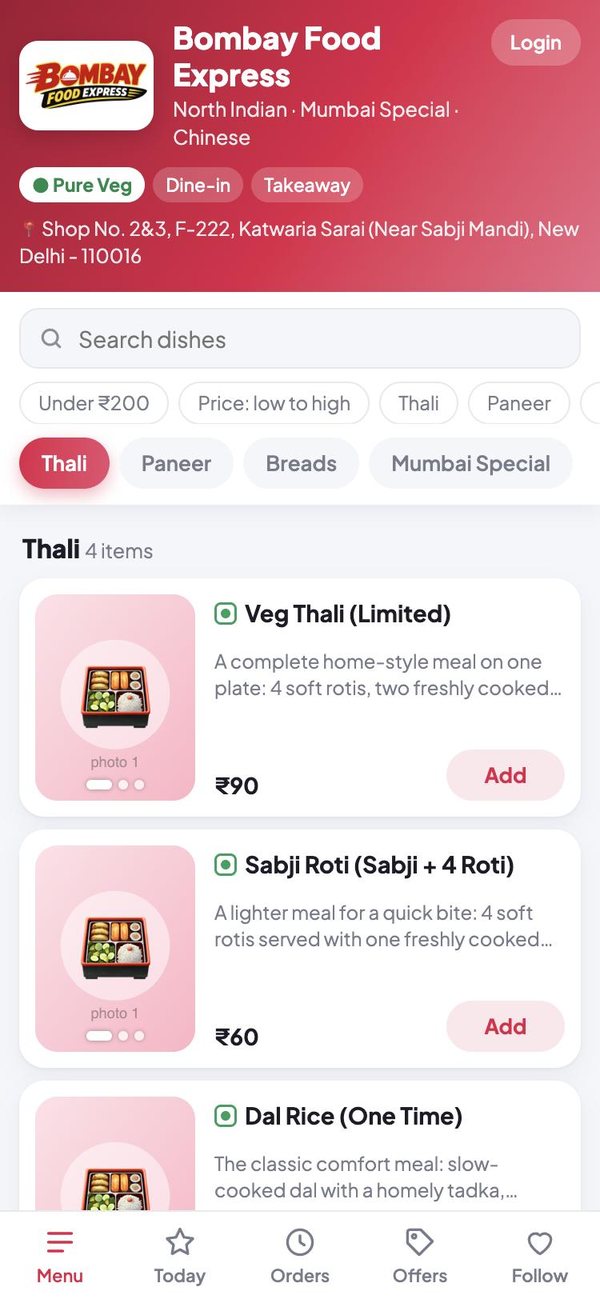
The whole menu, always up to date
What the restaurant changes in its Partner app shows on every phone at once.
- Photos, prices, sizes and veg marks
- Search, quick filters and categories
- Today's special and offers in their own tabs
- Dishes that have run out are marked, not hidden
9:41
Screen 2
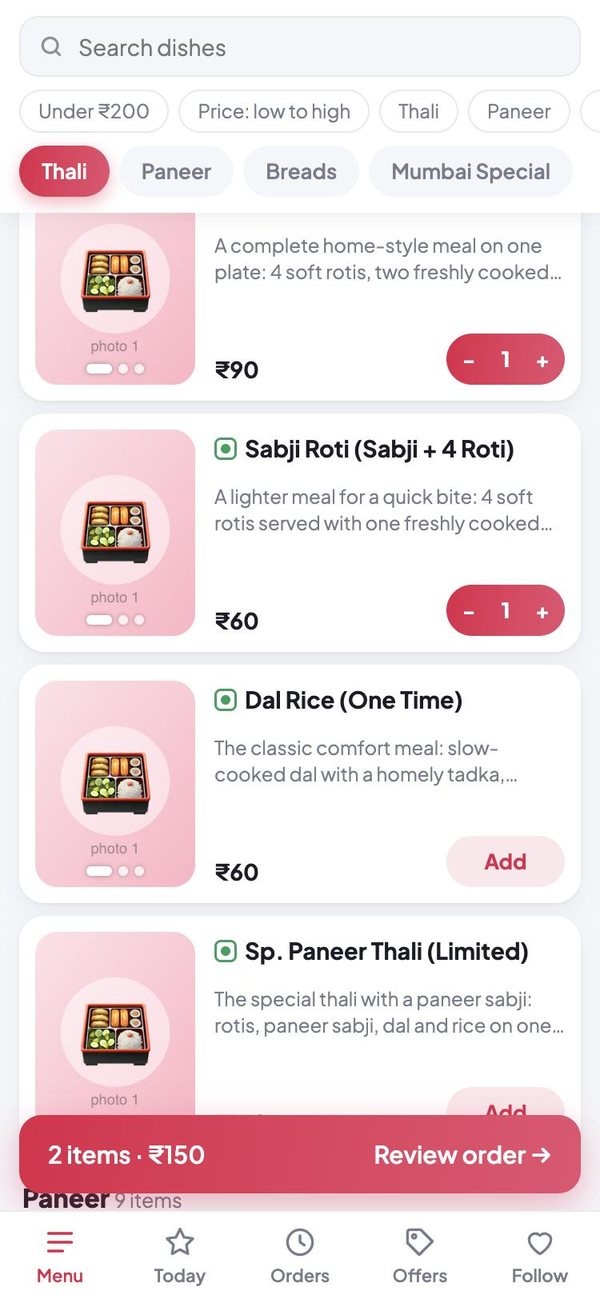
Add to the order with one tap
The total stays at the bottom of the screen while the customer browses.
- Add, remove and change quantities
- The table number comes from the QR code
- Offers and discounts are applied by themselves
- Works in the browser: nothing to install
9:41
Screen 3
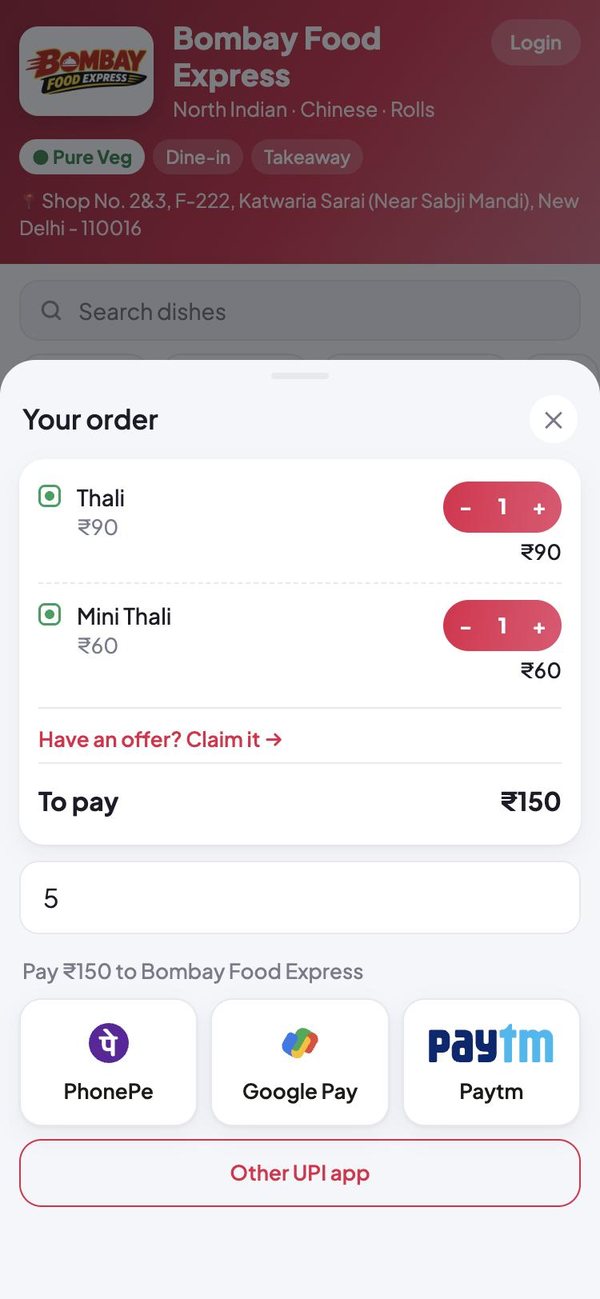
Pay by any UPI app
The customer's UPI app opens with the restaurant's UPI ID and the amount already filled in.
- PhonePe, Google Pay, Paytm or any other UPI app
- The money goes straight to the restaurant
- The order reaches the counter and the kitchen
- Past orders and ratings stay on the phone
These are screenshots of the app itself, shown with sample orders and names.
Getting started
Three steps
Scan
Point the phone camera at the QR code on the table.
Choose
Browse the menu and add what you want.
Pay and relax
Pay by UPI. The kitchen starts on your order.
The other apps
Each person gets their own
Put your restaurant on QRThali today
Register, add your dishes and print the QR codes for your tables.